The launcher
yabar launcher
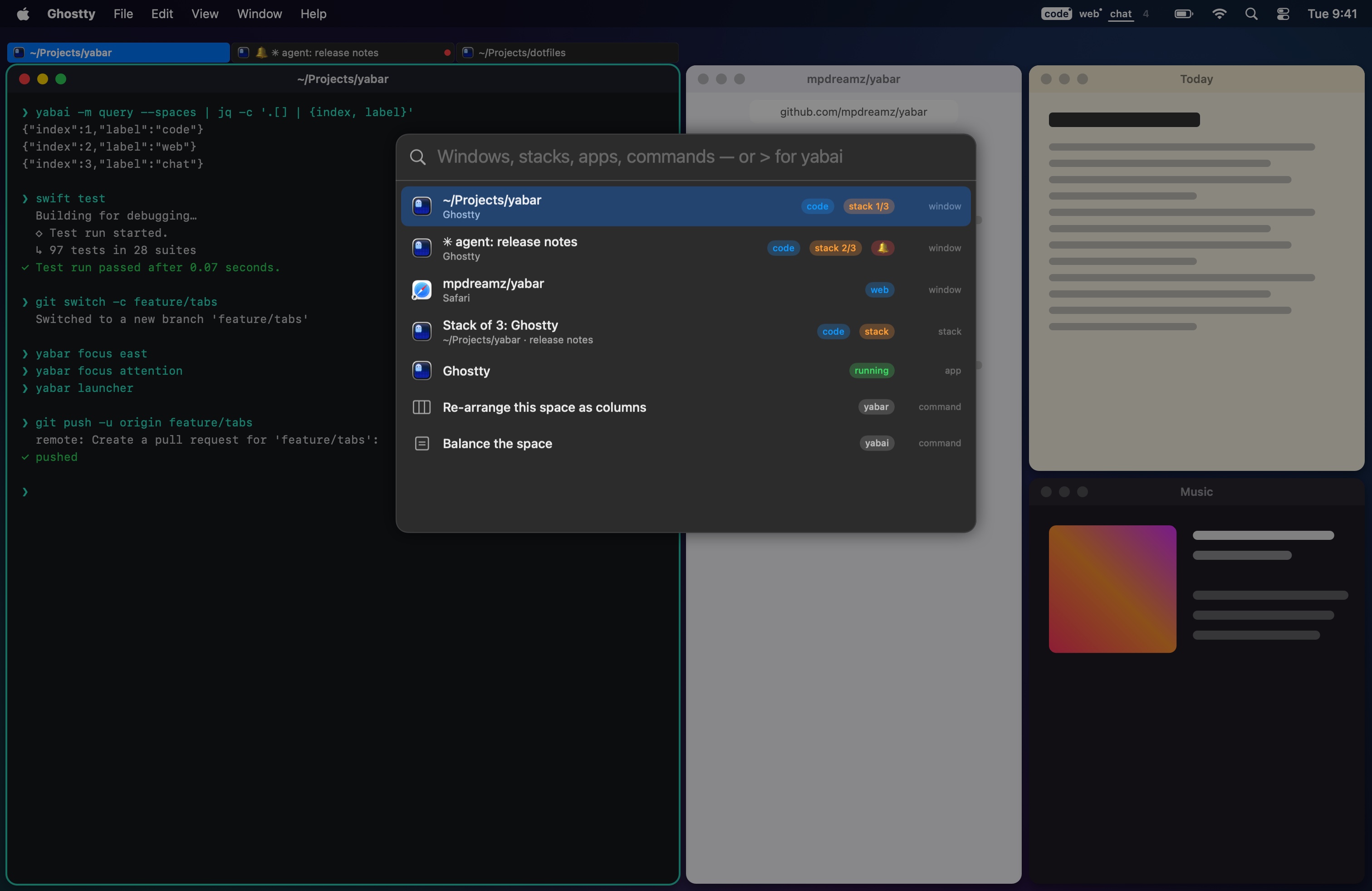
One search over:
- Windows on every space, with badges for their space, their place in a stack, a scratchpad, attention.
- Stacks, one row each.
- Scratchpads, with yabai's scripting addition.
- Apps in
/Applications,~/Applicationsand macOS's own; a running one is marked. - Yabar's commands: go to attention, label this space, settings, indicator styles, re-arrange as columns.
- yabai's commands by name: float, zoom, split, balance, mirror, rotate, layouts, move to space N.
| Key | Does |
|---|---|
| Enter | Go to the window (and its space), show a scratchpad, run a command, or open the app (its window when it runs). With nothing matching, open the best matching app. |
| ⌘Enter | Open a new copy of the app (open -n). |
> |
Run the rest as a yabai command: > window --toggle float. |
| ↑ ↓ | Move the selection. |
| Esc | Close, and give focus back. |
Results are matched fuzzily and ranked by match, then by how often you pick each. yabai commands run after focus is back on your window, so they act on it and not on the launcher.
yabar launcher starts Yabar first when it isn't running.