The menu and settings
Click the half-filled circle in the menu bar. The menu holds what you reach for often; everything else is in Settings….
| Item | What it does |
|---|---|
| The first line | What is showing now, for example Waves in Dusk, Halftone. |
| Shuffle | A new picture now. See Shuffling. |
| Pause | Leave the desktop alone: Undertone sets nothing until you turn it off. |
| Hide the Notch | A black menu bar strip the notch disappears into. See Notch and corners. |
| Round Corners | Black outside rounded corners, so a window tiled into a corner meets black. |
| Settings… | Everything else, below. |
| Open Config File | Opens config.toml, writing it first if there is none. Below it, the first problem in the file, if there is one. |
| Check for Updates… | Look for a new version now. See Updates. |
Each page shows the picture showing now at the top, drawn with the settings as they are, with its name, its effects and a Shuffle button. Every change applies straight away and is written to the config file.
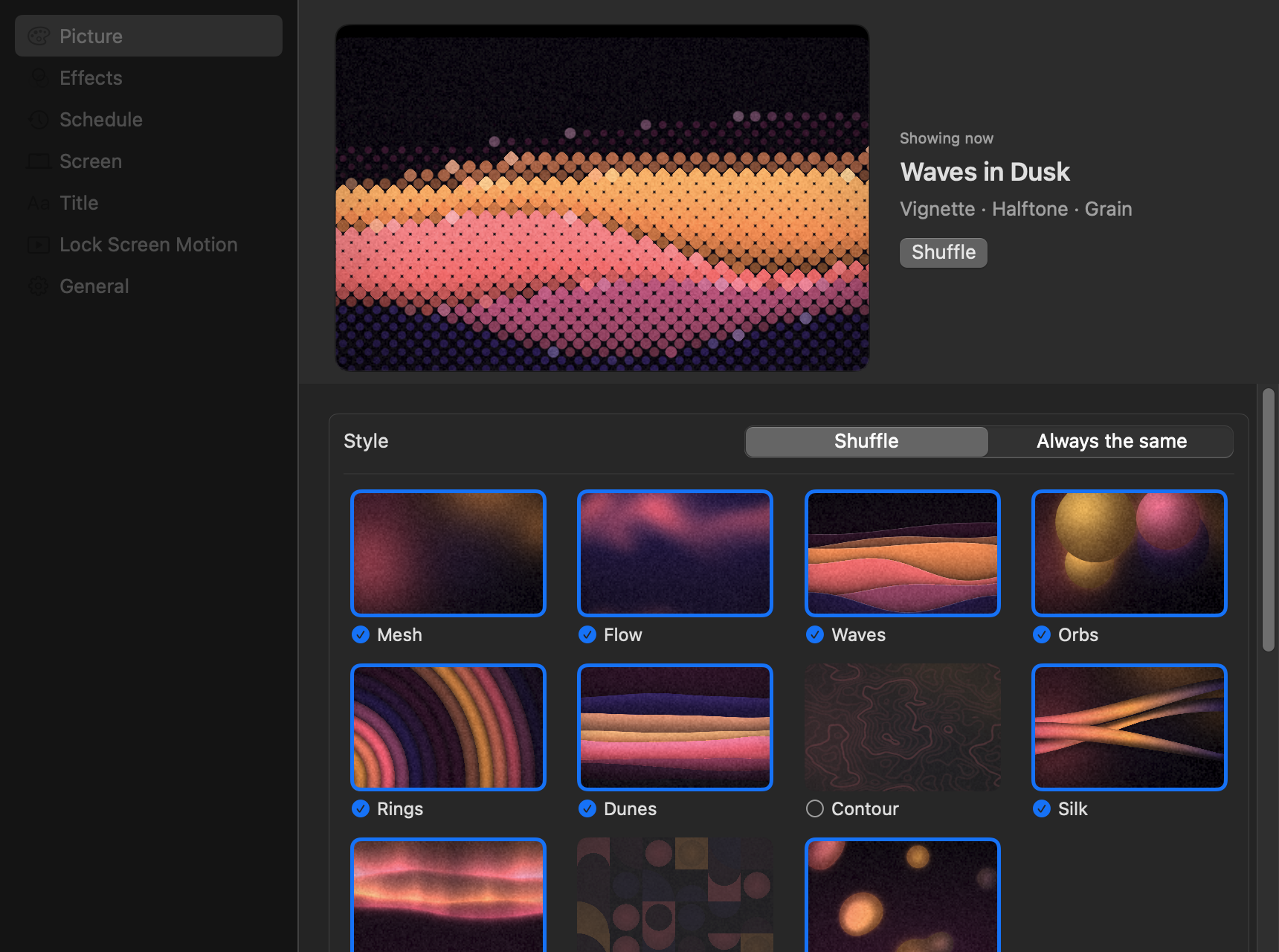
| Page | |
|---|---|
| Picture | Style and tonality: each shuffled among those you leave checked, or always the same one. Every style and tonality is drawn, so you choose by eye. See Shuffling. |
| Effects | The vignette, grain and the seven effects, each on or off with its own settings and a picture of it; and a random effect on each shuffle. See Effects. |
| Schedule | Shuffle every hour, 3 hours or day, and on login and wake. |
| Screen | One picture on every space or a picture per space, hiding the notch, rounded corners. |
| Title | A centred title and subtitle. |
| Lock Screen Motion | Your picture in motion while locked, and its speed, movement and settle. See Lock screen motion. |
| General | Open at login, updates, and where the config file is. |