Notch and corners
Hide the Notch draws a black strip across the top of the picture, as tall as the menu bar. The notch disappears into it, and the menu bar reads as part of the bezel. It applies only to displays with a notch; an external display keeps its full picture.
| Off | On |
|---|---|
 |
 |
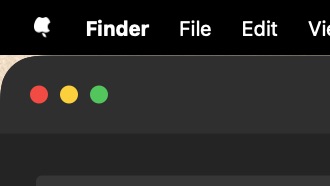
Round Corners makes the picture black outside a rectangle with rounded corners (below the strip, when the notch is hidden). A window tiled flush into a corner, as tiling window managers like yabai or Aerospace do, then has its own rounded corner against black instead of a sliver of picture.
| Off | On |
|---|---|
 |
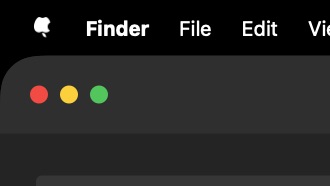 |
The corners are drawn in the same continuous curve macOS draws windows with, at 27 points: just over the corner of a toolbar window (Finder, Safari), the roundest kind, so every window tiled into a corner meets black. A plainer window, with a smaller corner, covers the extra black itself. There is nothing to set.